Koodo Community
Question

Not roaming in US

  • September 9, 2026
  • 9 replies
  • 26 views

I have a Canada/US plan, but I am in the US but have zero service. Is there something I can do to get this working as I am in the US for work for the day. Thanks


9 replies

Forum|alt.badge.img+4
  • Mobile Master
  • September 9, 2026

You can select manual network selection mode in neteork/Sim settings, and pick a network to connect to from the list that populates. And ensure data roaming is enabled. Let us know if it still doesn't work 


  • Author
  • Connector
  • September 9, 2026

I have manually tried connecting to the 4 US networks and they have all failed. And I have confirmed that my data roaming is turned


Forum|alt.badge.img+4
  • Mobile Master
  • September 9, 2026

Which phone are you currently using? In the meantime, I have also flagged a rep to help you out.


Forum|alt.badge.img+4
  • Mobile Master
  • September 9, 2026

In your Koodo self serve account, can you make sure Easy Roam is turned on?


  • Author
  • Connector
  • September 9, 2026

I have the Samsumg A16.

I just browsed my Self Serve account and can't find anywhere to check if Easy Roam is turned on. Would you happen to know where to find that option?


Koodo
Forum|alt.badge.img+4
  • Official Rep
  • September 9, 2026

Hi there ​@Craig M. Did you get a chance to try all the troubleshooting steps on our page here ? Resetting your network settings can clear connection issues.  


  • Author
  • Connector
  • September 9, 2026

I have tried all of those steps, except I have not tried removing the Sim card as I am not able to right now.


Forum|alt.badge.img+4
  • Mobile Master
  • September 9, 2026

I would suggest you to insert your SIM card into another device when you are able to see if you are experiencing the same issue.


Forum|alt.badge.img+4
  • Mobile Master
  • September 9, 2026

I have the Samsumg A16.

I just browsed my Self Serve account and can't find anywhere to check if Easy Roam is turned on. Would you happen to know where to find that option?


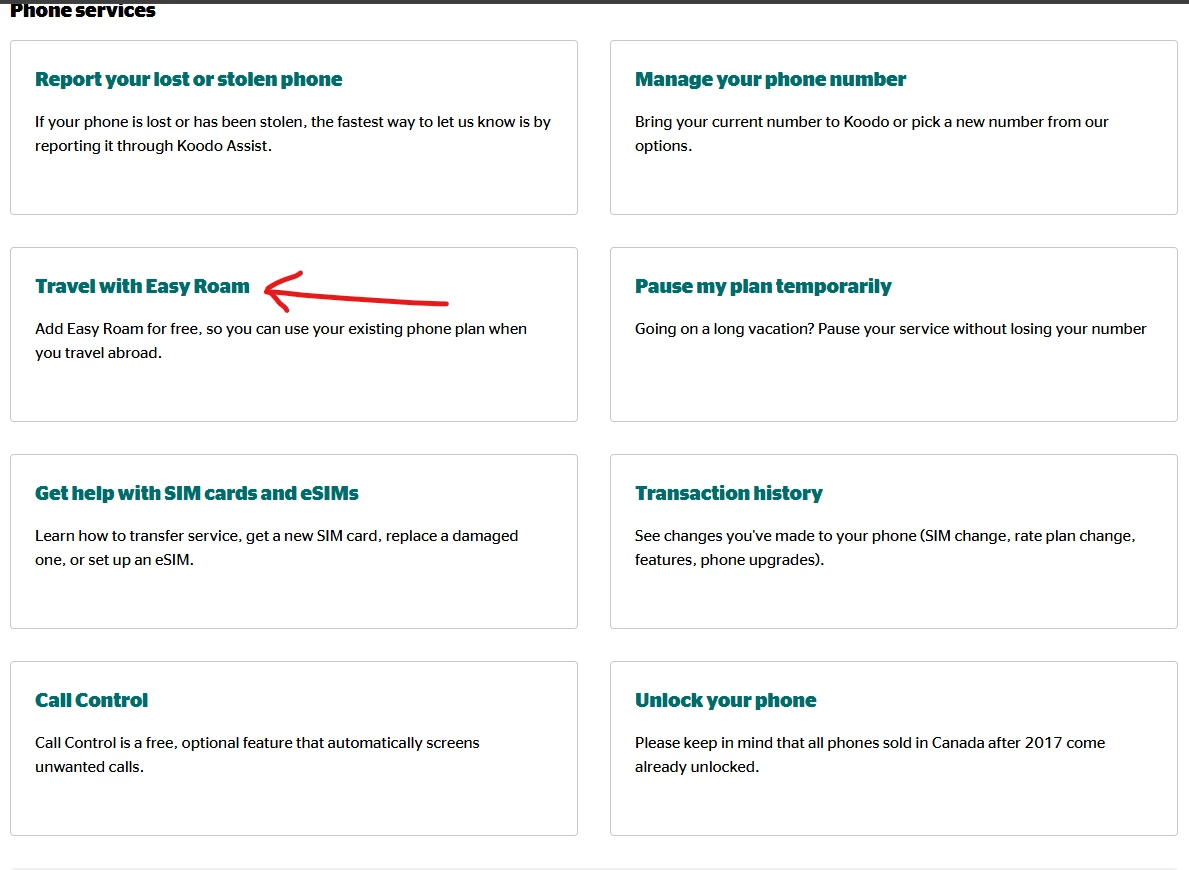
If you go to your plans and add-ons page, scroll down and you can see Travel with Easy Roam under Phone Services