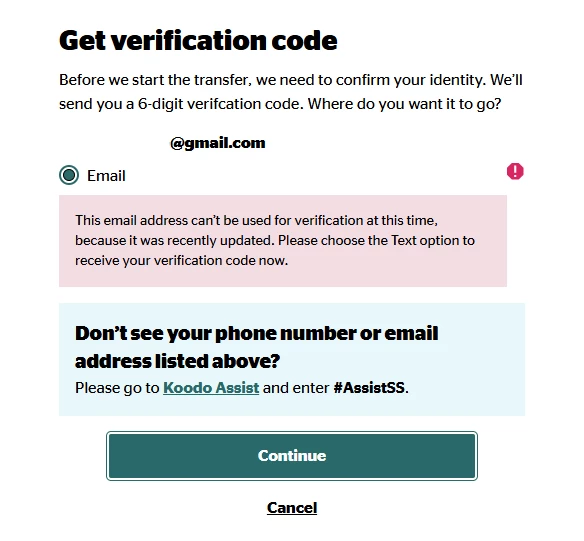
I just switched from public mobile to koodo. account established, but number is not ported out properly. Rebooted several times. Do I need to delete old eSIM? Or shall I enter them(SM-DP+ Address, Activation Code & Confirmation Cod) manually if it can be provided somehow?
Best answer by stl
Thank you so much for all of your help! Eventually customer serivce reached out to me by the backup number. After going through a series of verification questions and confirmation of EID and IMEI and removal of old eSIM, I received the push notification of installation of new eSIM. It worked aftrer restarting cell phone.
I would recommend you reset network settings of the phone and also check your email (including junk/spam) to see if anything is accidentally sent there.
Can you confirm if the Public Mobile sim is still active? Also how long had it been since you made the switch from Public to Koodo and did you use Fast Switch to change providers or a different method?
Even using Fast Switch, it can take up to 2.5hrs for the port to go through fully.
When you login to your Koodo self serve, does it show your public mobile phone number in there? And when you attempt to login to Public Mobile account, does it show the number has ported? Are you using a koodo esim or physical sim?
hmm ok. I have ran into issues before regarding porting numbers and eSIMS. They tend to be a bit picky and usually just need replacing to a new eSIM profile. Where it shows the number in self serve and you can’t login to Public, that would indicate that the number has ported successfully.
In your Koodo self-serve, you should be able to retrieve a new eSIM profile by following the steps in the link for free. When you follow the steps, it will send a new eSIM profile to the device for you to setup. Once setup, try turning off the Public Mobile eSIM profile and turning on the new Koodo eSIM profile and see if it works. If it does, that should be it and you can remove the Public Mobile eSIM.
Thank you so much for all of your help! Eventually customer serivce reached out to me by the backup number. After going through a series of verification questions and confirmation of EID and IMEI and removal of old eSIM, I received the push notification of installation of new eSIM. It worked aftrer restarting cell phone.