Koodo Community
Question

Smartwatch setup

  • August 6, 2026
  • 12 replies
  • 105 views

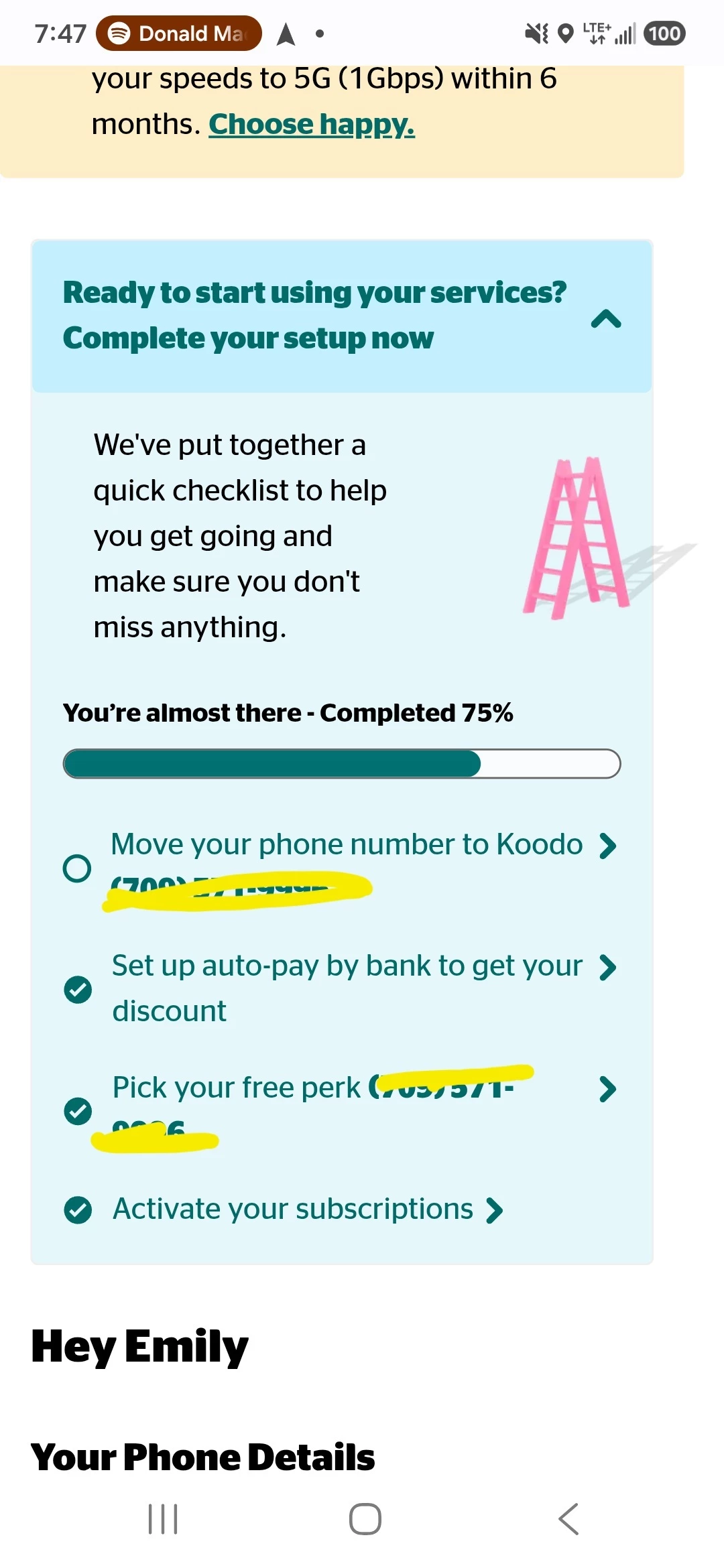
So I just got the new galaxy watch 9, during setup it prompted me to go straight to Koodo to get the smart watch plan, which I did, but now im stuck on this page. Doesnt matter if I change or keep the number, this message doesnt go away. 
 

12 replies

Forum|alt.badge.img+4
  • Mobile Master
  • August 6, 2026

Hi there,

to confirm, are you a new koodo customer or have you been one for some time? With the OneNumber watch plans, you do not need to port over a phone number.

Is the box / checklist shown for your main line that was recently activated with Koodo? or did it allow you to complete the order of the watch plan and the number it references is for the watch, also, did you choose the OneNumber plan or did you choose a different one?


  • Author
  • Advocate
  • August 6, 2026

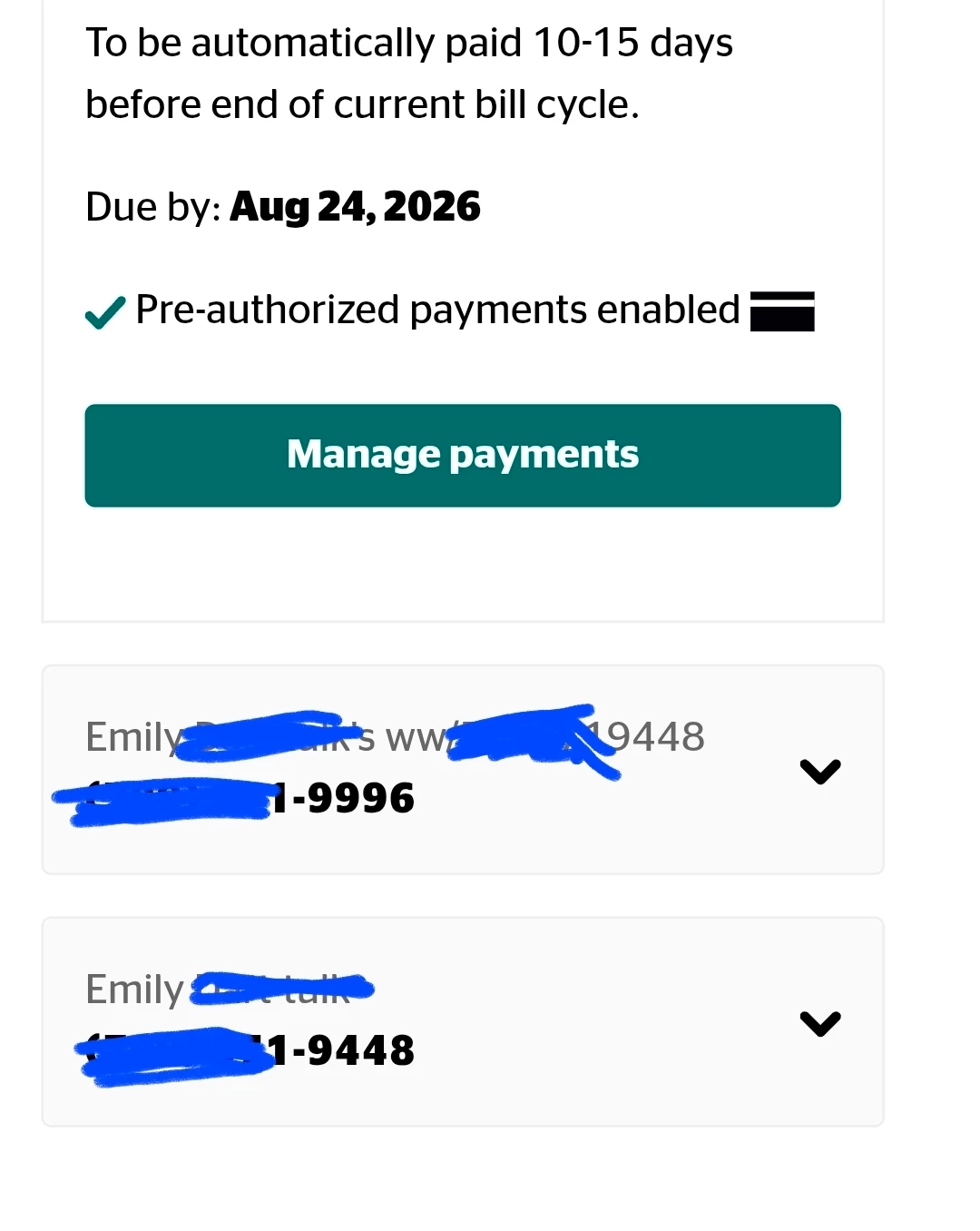
Hi Oliver, I've been with Koodo for a few months now. I believe the numbers are connected as this shows on my profile. The 9448 being my phone and the 9996 being the watch. Im not sure what's going on here at all. 


Forum|alt.badge.img+4
  • Mobile Master
  • August 6, 2026

Edit: hmm I see, just to confirm with the watch line, was it indeed the OneNumber watch plan that you chose or was it a different one? As you should not have been able to choose a perk for the one number plan, it also wouldn’t prompt you to port a number.

Does the watch seem to be working with the koodo network / did you receive any emails with service agreements etc as well? The agreements will describe the plan that you chose. The correct one would be the OneNumber Plan for $10/Month. If not, I believe this is the problem.

How to set up and manage your smartwatch | Koodo Mobile


  • Author
  • Advocate
  • August 6, 2026

So just to confirm, the watch is totally working. Im getting my texts and emails come in on both devices. The watch is a $10 plan with the add-on being the one number thing. The phone plan also has the same add-on.  This message only showed up when I set up the watch. The pick your perk number, however, does not match my main line. It is the 9996 number. I did not receive any emails from koodo when I set up the watch.


Forum|alt.badge.img+4
  • Mobile Master
  • August 6, 2026

Interesting! Ok I am glad it is the right plan and that the add-ons for both lines are showing correctly that helps a lot. Thank you for the extra info.

Just to confirm that the watch is fully working, is it still receiving messages and calls when you disconnect the device from Bluetooth and Wi-Fi? When doing so, it will use the data that is allocated for the plan instead and connect to the koodo network. The watch can work separately on Bluetooth; the benefit of the plan is that you don’t need to be connected to your phone to receive messages etc.

If that is all working fine, the plan is correct, the watch is working, then the checklist is nothing to worry about. It shows up when you setup new lines and will disappear either if all components of the list are complete or after 30 days if not. 🙂


  • Author
  • Advocate
  • August 6, 2026

Yes! The watch is completely disconnected from the phone and is using the service provider only to send and receive my texts/emails/etc. Should I be concerned that I didnt receive anything from Koodo with regards to the new plan though?


Forum|alt.badge.img+4
  • Mobile Master
  • August 6, 2026

Awesome, in that case the watch seems to be setup fine and you’re good to go on that part. 😎

When it comes to the new plan, after you signed up for it you should have received an email from Koodo to the email linked to your koodo account that contains your new service agreement for the watch line. Did you receive this? If not, it tends to be filtered as junk mail so I would check your junk/spam inbox as well.

If you can’t find an email with this at all, you can find the service agreement for the new plan through your Koodo self-serve account instead by following the steps here, let me know if that works. Viewing and downloading your Customer Service Agreements (CSA) | Koodo Mobile


  • Author
  • Advocate
  • August 6, 2026

Unfortunately the only service agreement showing is from February when I originally switched to Koodo😬 


Forum|alt.badge.img+4
  • Mobile Master
  • August 6, 2026

hmm ok, how long has it been since you setup the plan? If it was an hour or so ago, it can just be delayed in refreshing on self-serve, the CSA should show up after a little bit. However, you should have received a confirmation email as soon as you processed your order with the agreement - this part is odd if you didn’t and can’t find it in any of your mailboxes.

If you want to play it safe, you can speak to a rep through either Koodo expert messaging or via a callback using Koodo assist. They will be able to see the CSA and send it to you, where the line is active on the account a CSA would have been made once it was processed. They can be reached here: Support Homepage | Koodo Mobile

Besides that, I would check it in a couple of hours, but the CSA will eventually appear in self-serve. 🙂


  • Author
  • Advocate
  • August 6, 2026

I set it up just under 24 hours ago😬 I am currently waiting for a rep to get back to me just because I leave for work tomorrow and wont be able to deal with any of this for about a month so I want to make sure everything is good haha. Thank-you so much for your help Oliver C! I'll update if anything changes!


Forum|alt.badge.img+4
  • Mobile Master
  • August 6, 2026

I am the same way, it’s nice to have everything sorted before you leave for a bit, that’s a good idea.

No problem 🙂 I look forward to your update. If you have any other problems that come up or if you have any questions after your callback, let us know and myself and others on the community can help. 😎


I seem to be stuck in a similar state. I have been a Koodo customer for some time. However, my watch is not working (not getting/showing calls/not getting/showing messages) with Koodo.