Koodo Community
Question

Data not rolling over to next month

  • July 12, 2026
  • 4 replies
  • 40 views

Hey guys, 
I’m an old Koodo Customer, never had to come here too often. 

I just bought a refurbished phone from Koodo, and with the new plan I have rollover data to next month. 
(Previously, I had this perk with my other phone too)
I’ve been in my Control Panel, and I activated the function (at least I think I did!), but it’s been two months since my new plan and the Data never gets sent to next month.

Can you guys help me trouble shoot my problem? 

4 replies

Forum|alt.badge.img+4
  • Mobile Master
  • July 12, 2026

Hi there,

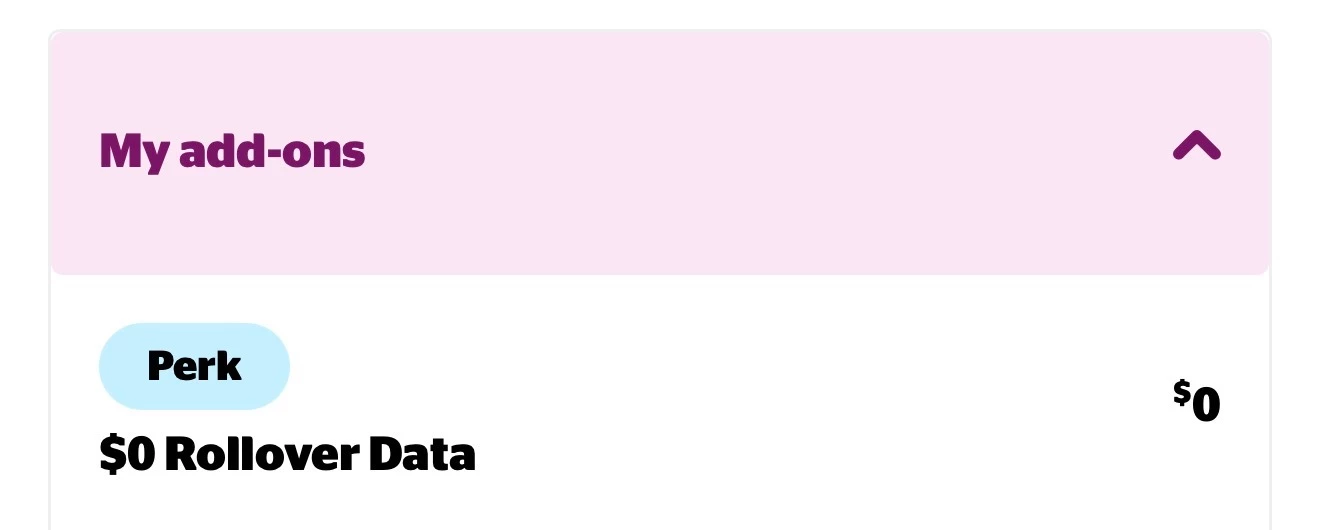
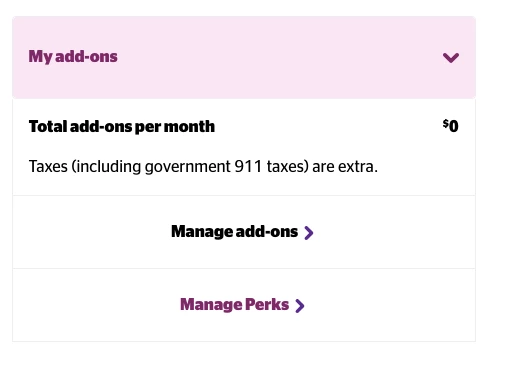
when you go to your plan add ons in your Koodo self serve account, does it show that the roll over perk has been selected? You can check this by going to self serve → mobile services → and selecting the drop down menu for your add ons. If it was added correctly it should look like the image below.

if it doesn’t show there, can you try to add the perk by hitting “manage perks” at the bottom of the drop down menu and see if it allows you to add roll over data.


  • Author
  • Beginner
  • July 12, 2026

Hello Oliver, 
I’ve just checked my control panel again. 

First, when I log into my Panel, it still prompts me to choose my “free perks”

When I checked into the Perks Menu, it still shows a link to “Manage’ my perks.
(None are listed) 


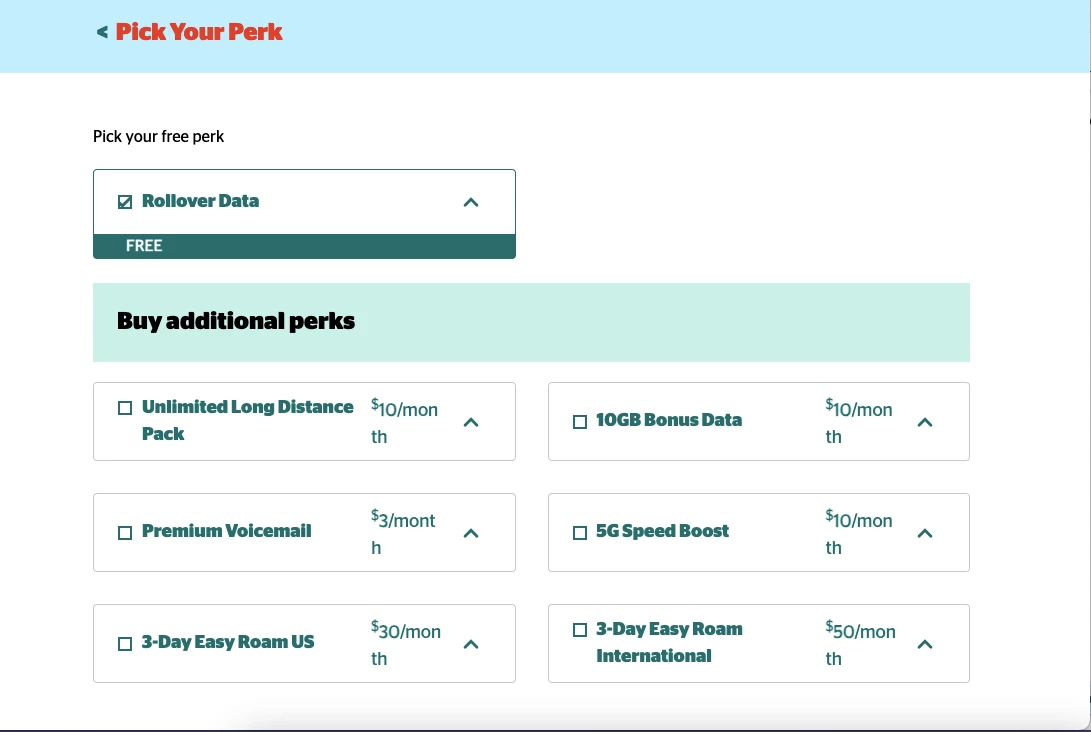
Then, when I click on “Manage perks”, I arrive to this window.
Note that Data rollover is checked like so. 


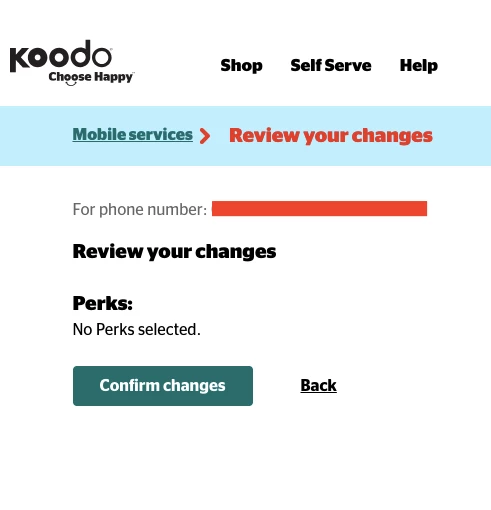
Then I click confirm changes.
Note that it says “no perks selected”


Then it says I should get a confirmation email, but I never received the email…

Two months ago when I set-up my present (new) plan, that’s how I’ve done it. 


Forum|alt.badge.img+4
  • Mobile Master
  • July 12, 2026

Ah I see! Thank you for confirming those details. A similar issue to this had popped up on the community about a month ago. This may be a system issue causing the perk to not become active for some reason.

I will flag a rep on here for you to assist as they will need to intervene and see what is going on. Just make sure you’re logged into the community using your Koodo self serve account and they should be able to help. They will respond here as I have.

note that response times from reps on here can vary. Because of this you can also reach out to a rep via koodo’s expert messaging if you would prefer. They’re available from 9am-7pm local time on weekends and they should also be able to help or escalate further if not 🙂. https://www.koodomobile.com/en/help/koodo-expert-messaging-faqs?


Flo Koodo
Forum|alt.badge.img+4
  • Official Rep
  • July 12, 2026

Hi ​@poutine4ever 

We have looked into it and it seems the Rollover data perk wasn’t properly provisioned to your number.

We have fixed that and the perk should now show on your account and data should roll over correctly as of the next billing cycle.

Let us know if the issue still persists once the new billin  cycle begins.