Koodo Community
Question

Old SIM not fitting iPhone 13

  • April 22, 2026
  • 15 replies
  • 84 views

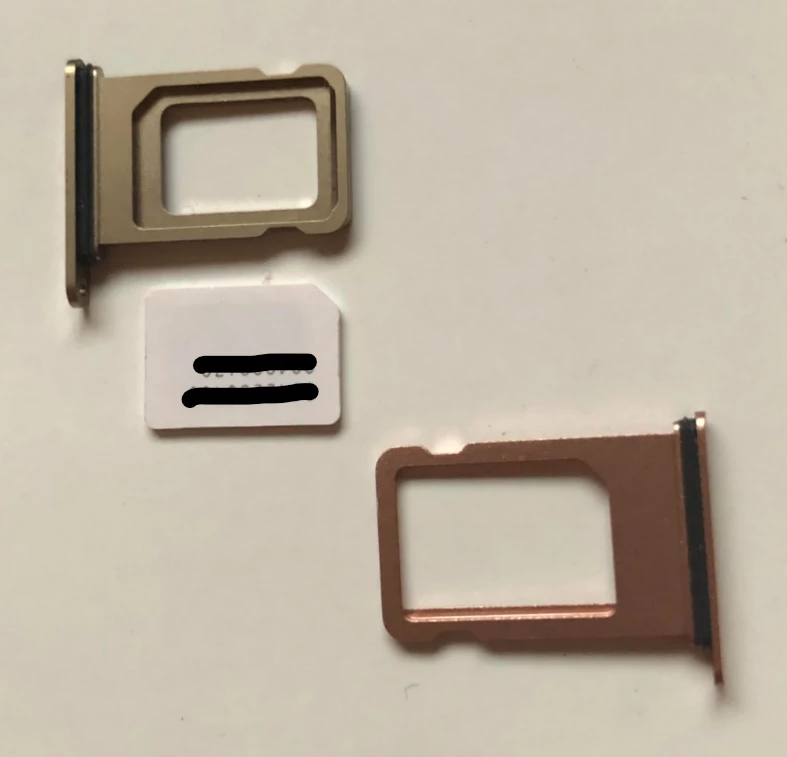
I have an iPhone 8 that has a micro-SIM and was under the impression I could just transfer it to the “new to me” iPhone 13 but apparently, it takes a Nano-SIM and will not fit. 

I tried to set up cellular by transfer from nearby iPhone but it’s not working. All my settings are correct to the best of my knowledge (had some help from AI which can be wonderful or not).

So, now I’m in a queue (I hope) for a call back and it’s been over 1.5 hrs. Is this wait time normal? Wondering if I should just make the 40km trip to town or just wait it out. I have other things to do! My hope is I’ve missed something and that’s why it’s not working.  The iOS is up to date on both phones. Maybe the gap between iOS26 and iOS16 is too large.

This topic has been closed for replies.

15 replies

Forum|alt.badge.img+4
  • Mobile Master
  • April 22, 2026

The iPhone 13 requires a nano-SIM, so your iPhone 8 micro-SIM will not fit. Are you sure your iPhone 8 is MICRO sim (should be nano)?

IIRC, Koodo’s SIM are tri-cut (see here : https://www.koodomobile.com/en/help/koodo-sim-support?search_api_views_article_search_fulltext=sim) meaning you can transform your micro SIM in a nano SIM.


Forum|alt.badge.img+4
  • Mobile Master
  • April 22, 2026

Are you sure you have an iPhone 8? As the iPhone does indeed use a nano sim card which is the same as the iPhone 13.

It does not use a micro-sim. Are you inserting the sim card on the sim tray in the correct orientation?


I’m positive I have an iPhone 8. I’ve had it for a long time.  I tried to fit into the new card slot and it just would not fit flush. Gemini AI gave me that information based on this image.

Edited to add: It’s the height that seems to be the issue.


Forum|alt.badge.img+4
  • Mobile Master
  • April 22, 2026

So these are indeed the same size (nano) however the sim is of an older model, so the sizing may not be perfect allowing it to be flush. The Ai is wrong, it is not micro. Both are Nano. Learn which type SIM your iPhone or iPad uses - Apple Support (CA)

I have known people to trim the sim card slightly on the edges using scissors to have them fit more flush and being careful to avoid the pins. I don’t recommend this though as you risk cutting the pins on the sim, but this is an option.

Besides that, you can attempt to insert the sim in the tray where it is not perfectly flush by pushing it down in the tray as you insert it. Besides that, your other option would be to go to your closes Koodo kiosk or Telus store and acquire a sim replacement. Once you have one, you can replace it in your Koodo self serve and then it will be good to use. You just have to punch it out to the nano size. Steps can be found here:

SIM card 101 | Koodo Mobile


Thanks, Oliver. I’ll either get my call that I’m waiting forever for and have it converted to an eSIM or I’ll wait until my planned trip to town next week and deal with it then.  It’s been an experience for sure. I tried transferring my number over and that was a bust. I just need to be patient and enjoy learning the new features of this phone. 


Forum|alt.badge.img+4
  • Mobile Master
  • April 22, 2026

Why not get an eSIM online and activate your phone with this instead of old SIM? 


I’m in the process of doing that. I tried to transfer my number via the prompts but it didn’t do anything. So, I’m supposedly in a call-back queue for over 2 hrs. 


Forum|alt.badge.img+4
  • Mobile Master
  • April 22, 2026

EDIT: ​@Michelle Comeau to confirm are you an existing customer with Koodo already? If so you would not have needed to transfer your number. The number is tied to the sim card, not the device. This may have been why it didn’t do anything.

For existing customers, unless a phone rep has a way, but I don’t believe so, you have to ether use the convert to eSIM function within the device if it has it (the 8 does not) or purchase an eSIM voucher from a Koodo or Telus store and make the swap in self serve. You can’t acquire an eSIM online through Koodo unless you’re a new customer and choose it in the ordering process.


Okay… so, I’m basically wasting my waiting for a call when I have things to do. 

Hypothetically speaking, if I messed up the SIM card trying to get it to fit, that shouldn’t interfere with converting to an eSIM, would it?


Forum|alt.badge.img+4
  • Mobile Master
  • April 22, 2026

Okay… so, I’m basically wasting my waiting for a call when I have things to do. 

Hypothetically speaking, if I messed up the SIM card trying to get it to fit, that shouldn’t interfere with converting to an eSIM, would it?

Nope, the only thing would be that it makes it difficult to use the current sim in the old phone if it is damaged. It will not affect your ability to convert to eSIM in this case as your iPhone 8 does not have the ability to convert to eSIM. So the conversion is entirely done on self-serve / your Koodo account. 

In this case, I would recommend purchasing an eSIM voucher from a Koodo or Telus store, switching the sim in self serve, and then scanning the voucher and set it up. This is why it is not affected as it is changed entirely in self serve. Once switched, the old sim deactivates and the number transfers to the new eSIM. 🙂 SIM card 101 | Koodo Mobile


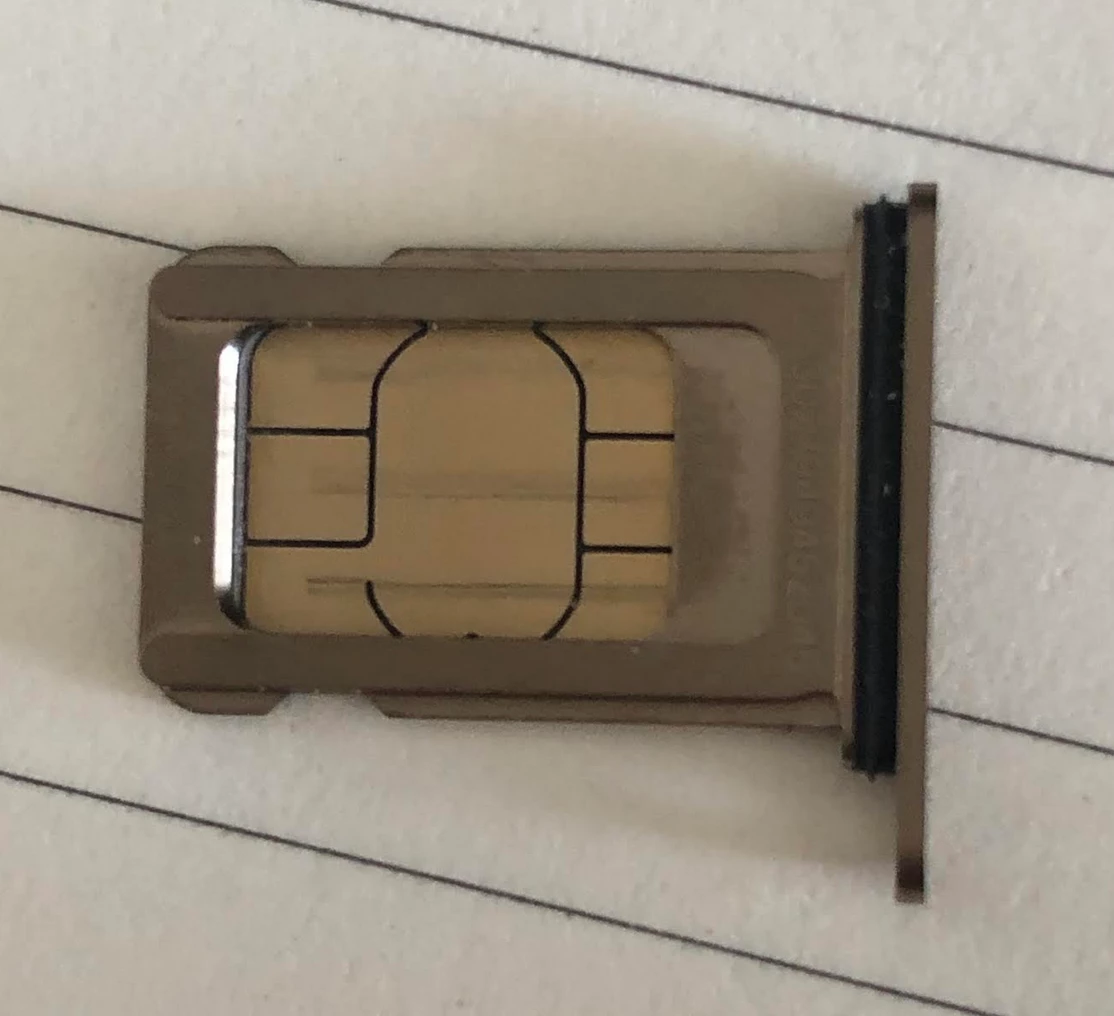
I’m adventurous enough to try filing down the SIM card and making it fit the iPhone 13. I succeeded and was able to slide it in. Didn’t work. I put it in exactly the same way with the SIM numbers on the card upside down. I popped the tray out and looked at the back and it was about 1/3 covered by the tray. The fact that the angled corner was on the opposite side was a concern and AI said it didn’t matter. Odd. 

So turned it so bottom of card is now on the top, retro-fitted a bit more and slid it in. Nothing happened. 

Just to be sure I didn’t damage the SIM card, I put it back in the old phone and it’s working fine. Oh well. I’ve spent too much time on this and will just deal with it next week if I don’t get a call.


Koodo
Forum|alt.badge.img+4
  • Official Rep
  • April 22, 2026

Hello ​@Michelle Comeau  From your latest picture, we can see that part of the pins are covered and the phone cannot read the sim card. In regards to the question about the angled corner, the AI is wrong. It matters how it fits in the tray and how the phone will read the sim card. 

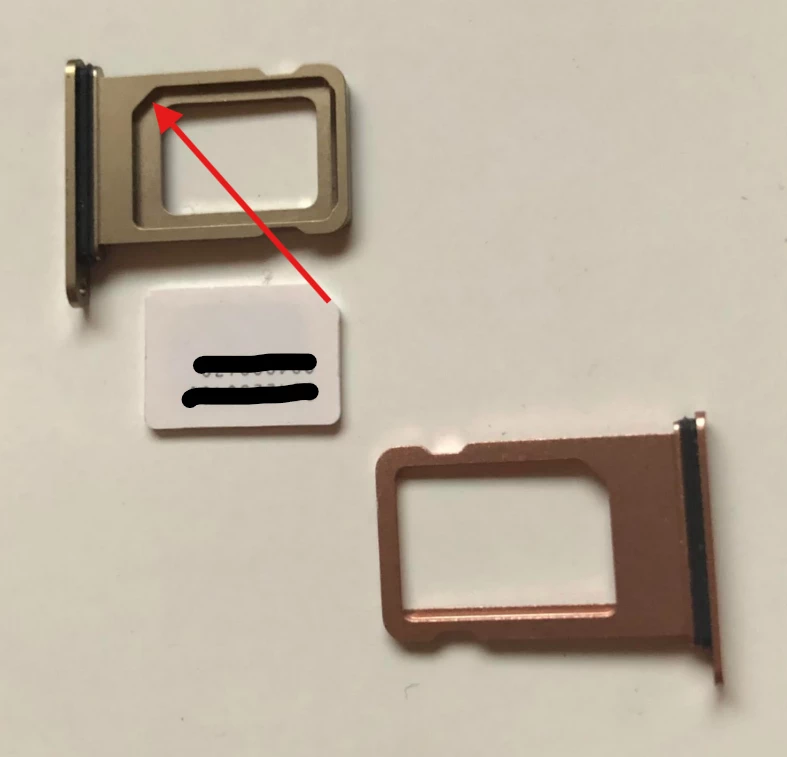
Try to flip the sim card with the PIN facing up and match the angled corner. I’ll include the first image as an example: 

Also, keep in mind that modifying the sim card is not recommended as it can cause issues. 


I turned the card 180 degrees, as noted in my previous post so the angel is in the appropriate corner.  The SIM is working fine in my older phone. When you refer to the “pin” side, you’re meaning what I said… matching the angled corner,  right?  If so, I did that…  I explained that.  I’m not in a rush. I just want it over with.  Should I have covered the SIM numbers?  OOPS


Koodo
Forum|alt.badge.img+4
  • Official Rep
  • April 22, 2026

Sorry for the misunderstanding. I just noticed that you mentioned turning the sim card with the pin side up and matched the corner. I was basing the answer on the last image you shared and how it looked.

When sharing images in public, for security purposes, it is best to hide the sim serial number and other personal information. 

In this case, as ​@Oliver C mentioned, you can purchase an eSIM voucher or a Physical sim and change the sim card in the Self Serve account. 


I’m almost embarrassed to say that something said here made me rethink the way I was putting the SIM card into the iPhone 13.  PIN SIDE UP….  I thought, “ Is that what they think I was doing?” When I’m flustered, my clarity gets fogged up. 😝

Well, I wasn’t. I was putting it pin side down because I trusted what AI was telling me. DUH!  I just watched a short video (pin side up)  and it’s working just fine. What a relief!  I’m not dependent on my phone but I still needed this issue resolved. Thank you all for your help. This is my 3rd iPhone and I assumed the SIM would go in the same way as the other two.