Koodo Community
Solved

Didn't receive esim notification or email with QR code to setup new line.

  • September 10, 2026
  • 4 replies
  • 106 views

I setup my wifes phone as a new line on my monthly account and brought her number from koodo prepaid. We didn’t receive a push notification or an email with a setup QR code for the esim. As we brought her existing number from the prepaid account she is nopw without an active phone.

Best answer by Dennis

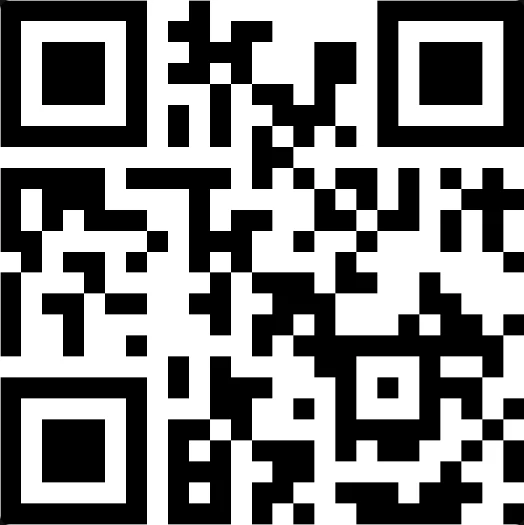
Try this qr code to trigger your phone to check the network for the esim
 

View original
This topic has been closed for replies.

4 replies

Dinh
Forum|alt.badge.img+4
  • Mobile Master
  • September 10, 2026

Which phone is it, iPhone or Android? And did you check the junk or spam folder — those eSIM setup emails get filtered fairly often.

Make sure the phone is on wifi. A rep confirmed on another thread that the eSIM push can get stuck after a port completes, so the prompt to download the profile never appears, and connecting to wifi is what got it moving. Restarting the phone a few times or resetting network settings has surfaced the prompt for other people too.

If it still doesn't come through, in Self Serve go to Mobile Services » Get help with SIM cards and eSIMs » Manage your SIM card or eSIM and look for the option to request a replacement eSIM. Steps by phone brand are here https://www.koodomobile.com/en/help/esim-and-esim-vouchers

I also flag a rep here as well


  • Author
  • Beginner
  • September 10, 2026

Thank you for the prompt reply! It’s a Pixel phone. Definitely connected to wifi. Have restarted the phone twice. I requested the replacement esim also and still nothing. I’ll keep trying for a little bit. I’m not the favourite right now lol


Forum|alt.badge.img+4
  • Mobile Master
  • Answer
  • September 10, 2026

Try this qr code to trigger your phone to check the network for the esim


  • Author
  • Beginner
  • September 10, 2026

Thank you Dennis! That worked perfectly. You're a gentleman and a scholar!
