In my self serve billing or profile I have no option to remove my preauthorized payment option. I want to remove this from the account, but there does not show an option on my screen to do so, only an option to add another or alternative preauthorized option.
Solved
Remove payment/authorized payment is not an available option
Best answer by Dinh
Just to confirm, is this for your mobile postpaid bill, or for a subscription like Stream+ or Koodo Internet? Those subscription services are credit card only, so Self Serve only gives you the Update card option and there is no way to remove it there.
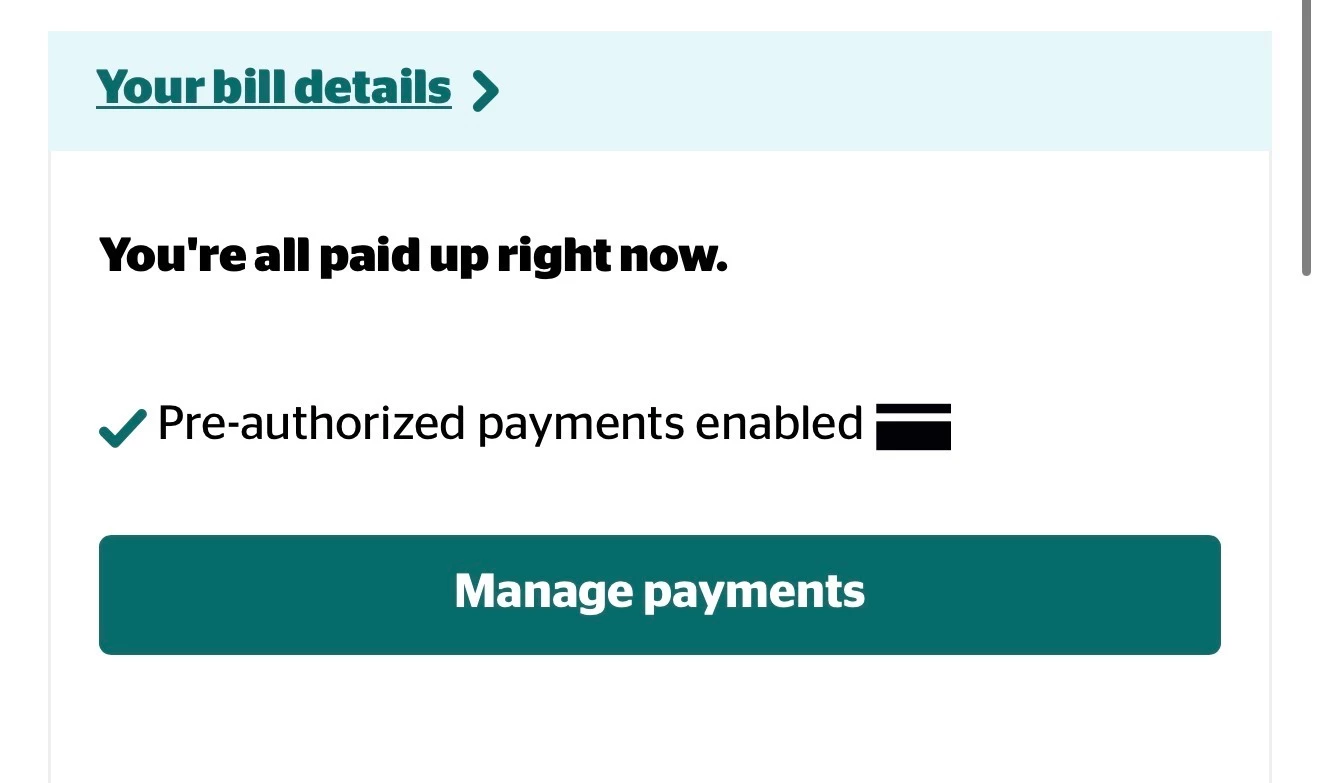
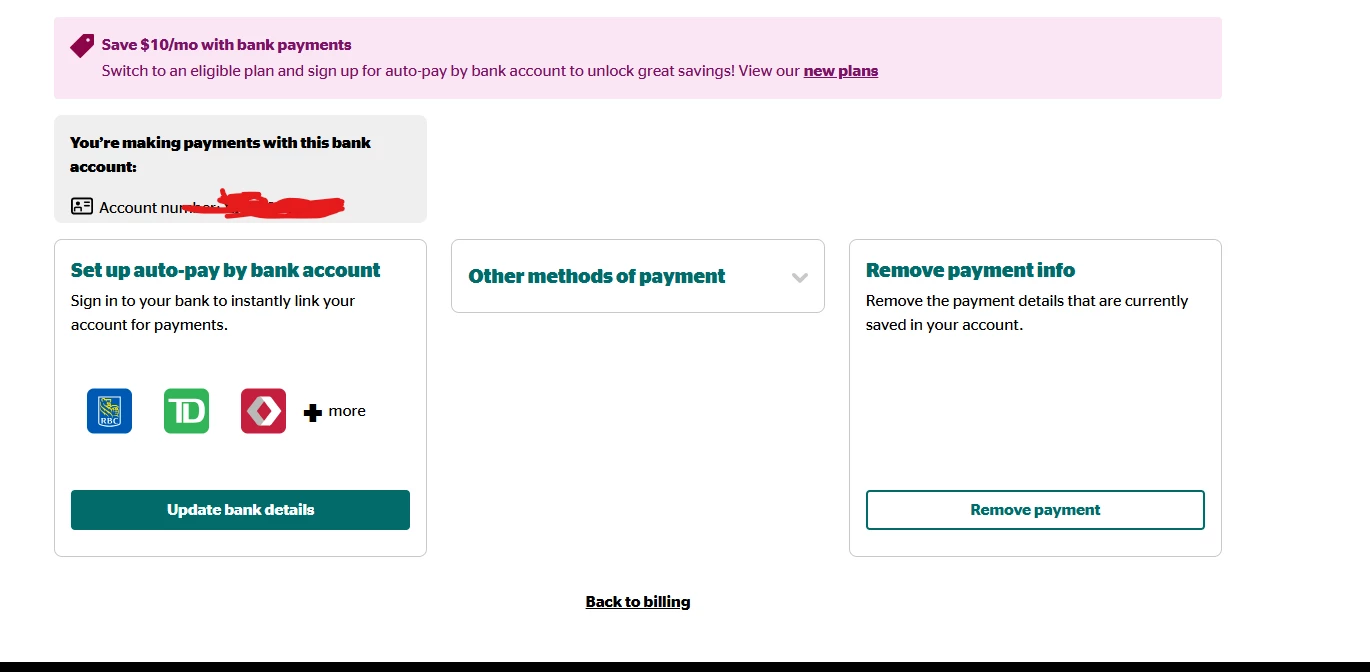
For a postpaid bill, the removal option shows on the Self Serve home page as soon as you log in, click manage payments then remove. If you are not seeing it there, I would try a different browser or incognito mode.
This topic has been closed for replies.


Login to the community
No account yet? Create an account
Login using your Koodo Self Serve Login using Facebook
or
Enter your E-mail address. We'll send you an e-mail with instructions to reset your password.