Koodo Community
Question

My modem keeps dropping connection due to heat problems and Koodo assist is a joke

  • March 31, 2026
  • 8 replies
  • 31 views

I have had Koodo internet since last August, however I have noticed that my connection has started to drop a lot. My modem has all the proper lights lit up on it, however it is not actually connected to the internet. I have confirmed it is 100% a modem issue since I’ve tried 2 seperate routers, and my actual WIFI is still avaible just no internet. Every time I go to reset the modem it is hot to the touch. I have searched both the forums here and reddit, and have found this is an extremely common issue. I need my modem replaced with one that will not overheat every 8 hours.

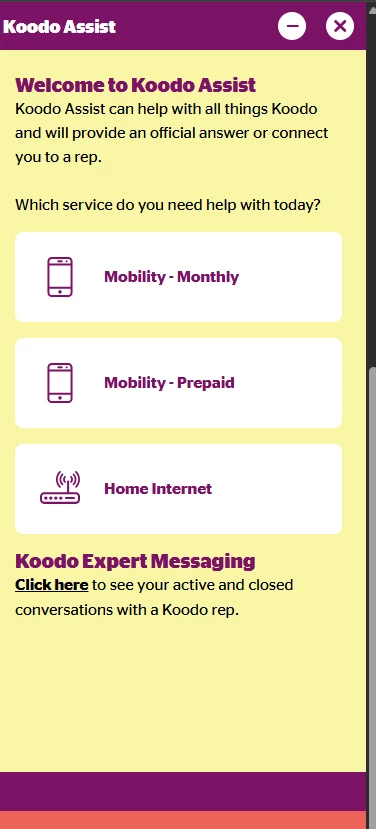
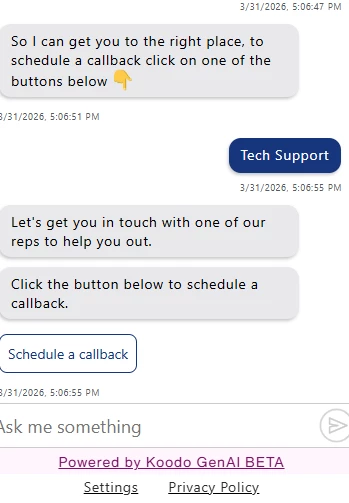
This bring me to my main point. Koodo assist is a joke. It won’t allow you to even schedule a call unless you are a Koodo mobile user. There is no specific support for internet. So how is this supposed to get fixed??

It seems like some pretty big oversights to keep supplying modems that overheat and make accessing tech support impossible.

I’m posting it here so that hopefully someone in the support team (a human hopefully) can see this and actually get this dealt with.

Seriously Koodo get rid of this AI crap that doesn’t help just makes customers more angry.

8 replies

Forum|alt.badge.img+4
  • Mobile Master
  • March 31, 2026

Since you need a new model you will need to request a callback via kooso assist.

https://www.koodomobile.com/en/help?autobots=rollout

On Koodo Assist, just select Home Internet and then request a callback and say it is for Tech support and the callback option appears.


  • Author
  • Beginner
  • March 31, 2026

Hey Denis,

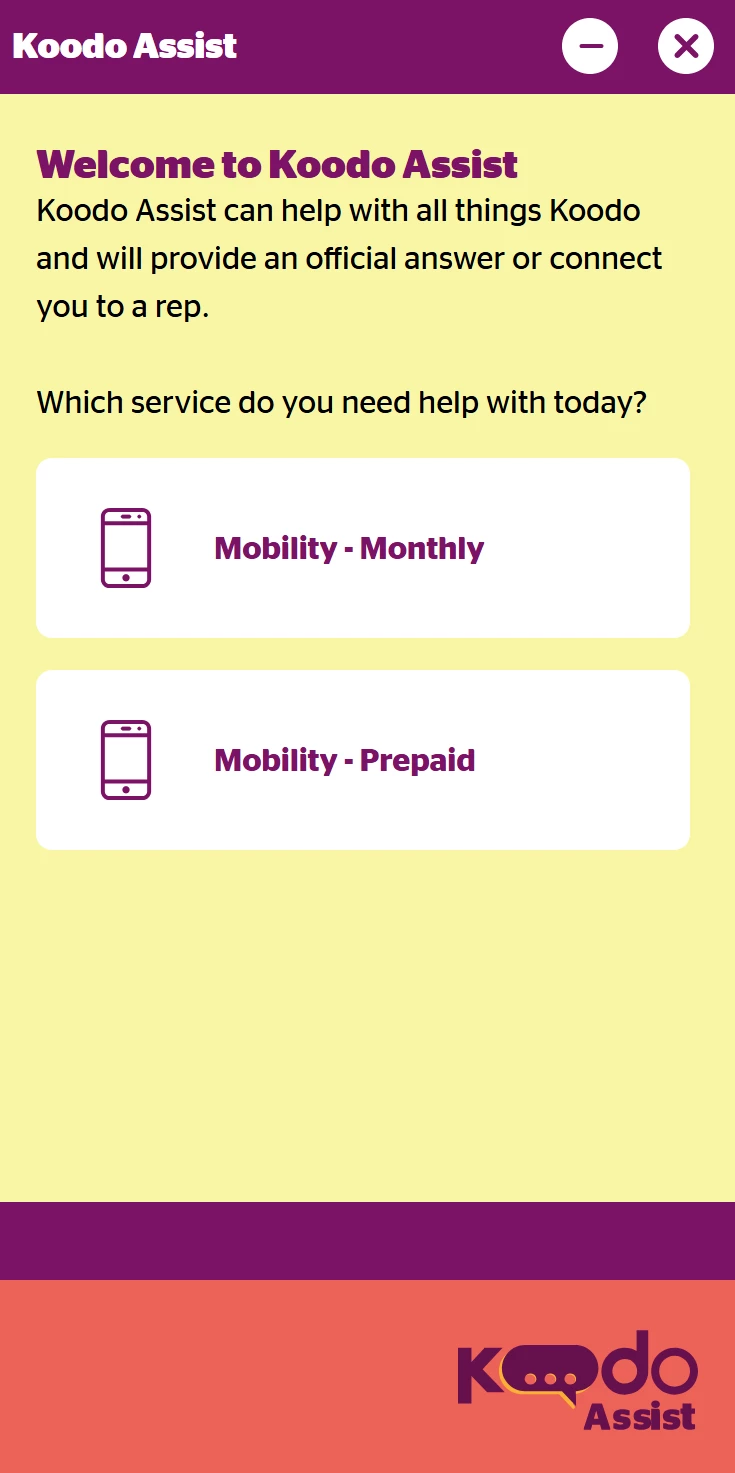
I totally get that however when I open Koodo assist there is no home internet. It only has options for mobile which requires a Koodo mobile number.


Forum|alt.badge.img+4
  • Mobile Master
  • March 31, 2026

Oh that is weird.

Try accessing opening the link in incognito mode on your browser and see what happens


  • Author
  • Beginner
  • March 31, 2026

Hey Dennis,

Ya I tried that still no dice in incognito mode. However after 20 minutes of prompts I managed to get a callback scheduled through pre-paid, however it was not easy or straight forward.


Forum|alt.badge.img+4
  • Mobile Master
  • March 31, 2026

That is not going to be ideal since the prepaid rep is not going to be able to help you with your home internet


Forum|alt.badge.img+4
  • Mobile Master
  • March 31, 2026

Try accessing the link on another device


Dinh
Forum|alt.badge.img+4
  • Mobile Master
  • April 1, 2026

I have had Koodo internet since last August, however I have noticed that my connection has started to drop a lot. My modem has all the proper lights lit up on it, however it is not actually connected to the internet. I have confirmed it is 100% a modem issue since I’ve tried 2 seperate routers, and my actual WIFI is still avaible just no internet. Every time I go to reset the modem it is hot to the touch. I have searched both the forums here and reddit, and have found this is an extremely common issue. I need my modem replaced with one that will not overheat every 8 hours.


What was the status of the LED light on your modem? As well, can you share the link where they said a hot modem is the problem of your internet connection.

I asked this since your Internet issue might be from the equipment itself, but the settings or cable. As well, my home modem is also very hot, but it operates normally.


Georgia Koodo
Forum|alt.badge.img+4

Hi ​@Getsomehelp, make sure you have the correct province selected in the top right of the page. The Internet service is not available everywhere so if you have the wrong province selected, you may not see the option in the Koodo Assist. 

Let us know if you were able to schedule a callback!