Koodo Community
Question

Prepaid Activation site not working & choosing a phone number

  • December 4, 2025
  • 8 replies
  • 50 views

Hello,


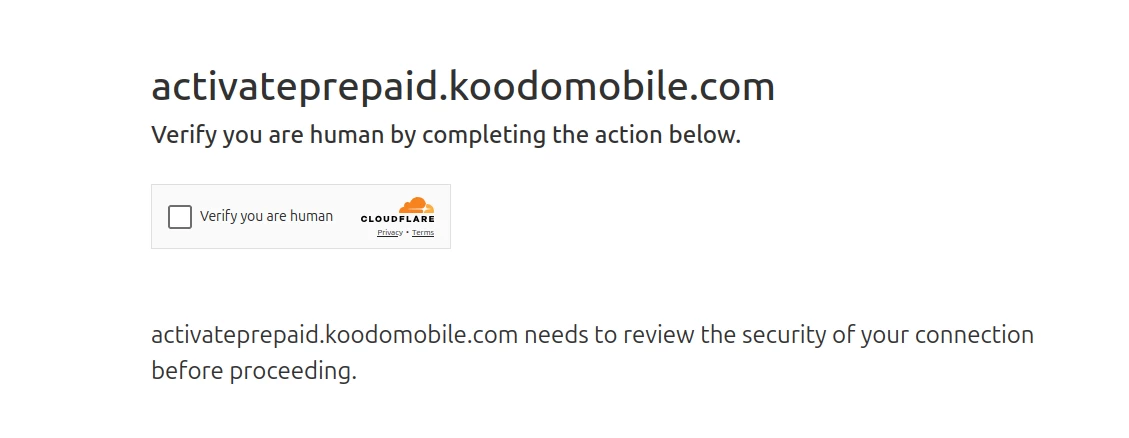
I wish to activate an eSim for my new unlocked phone, which I purchased online from Walmart. When I click on the Prepaid tab, and then Activate eSim, the website asks me to confirm I’m a human, by clicking on an empty box. After I do this, the website just lags. A circle just goes around on the screen, but nothing happens. It just lags. I’ve tried clearing my cache, rebooting my laptop & even tried another browser. Can someone please try this & report your findings?


Also….I want to know, if I activate a Prepaid account with Koodo Mobile, would I be able to choose my phone number? I just found out that my old phone number (which was registered with Koodo’s monthly bill) is still inactive. I’m kind of hoping I’ll be able to choose that number.

8 replies

Forum|alt.badge.img+4
  • Mobile Master
  • December 4, 2025

Koodo’s prepaid eSIM activation website can lag or freeze at the captcha step due to browser or network issues, but clearing cache, rebooting, or switching browsers usually helps; persistent issues may require contacting Koodo support or using a different device. When activating a prepaid account, you typically cannot choose an exact phone number, but Koodo will assign a new one. Recovering an old inactive number registered under a postpaid account is unlikely during prepaid activation. 


Forum|alt.badge.img+4
  • Mobile Master
  • December 4, 2025

Where are you getting stuck along the process?


And no you cannot select your phone number.  You are given an option of 3 numbers and you can refresh this number until you find a number you are ok with


  • Author
  • Connector
  • December 4, 2025

Where are you getting stuck along the process?


And no you cannot select your phone number.  You are given an option of 3 numbers and you can refresh this number until you find a number you are ok with

I don’t even get this far. These are the screenshots I can provide, leading up to the lag.


After this screen, it just lags. The little circle just goes ‘round & ‘round, as do the wheels of life. 😁


Forum|alt.badge.img+4
  • Mobile Master
  • December 4, 2025

Did you try doing the same thing with another browser though?


Forum|alt.badge.img+4
  • Mobile Master
  • December 4, 2025

That may be an issue with your network. Have you tried using another connection to see if that resolves the problem?


Forum|alt.badge.img+4
  • Mobile Master
  • December 4, 2025

Try clearing your browser’s cache or try a different browser and try the prepaid activation link there


https://activateprepaid.koodomobile.com/en/ab/prepaid/koodo/consumer/activation


  • Author
  • Connector
  • December 4, 2025

Is it possible that Koodo Mobile blocks VPN’s???


  • Author
  • Connector
  • December 4, 2025

OMG….it was my VPN!!!! I disabled my VPN & I progressed to the next screen! I never even thought that my VPN could be the issue!


Note to all Koodo Mobile customers who wish to use the Koodo Mobile website!!! YOUR VPN MAY BE CAUSING TECHNICAL ISSUES!!!!!