Koodo Community
Question

How do I activate the new Discovery+?

  • February 9, 2026
  • 10 replies
  • 70 views

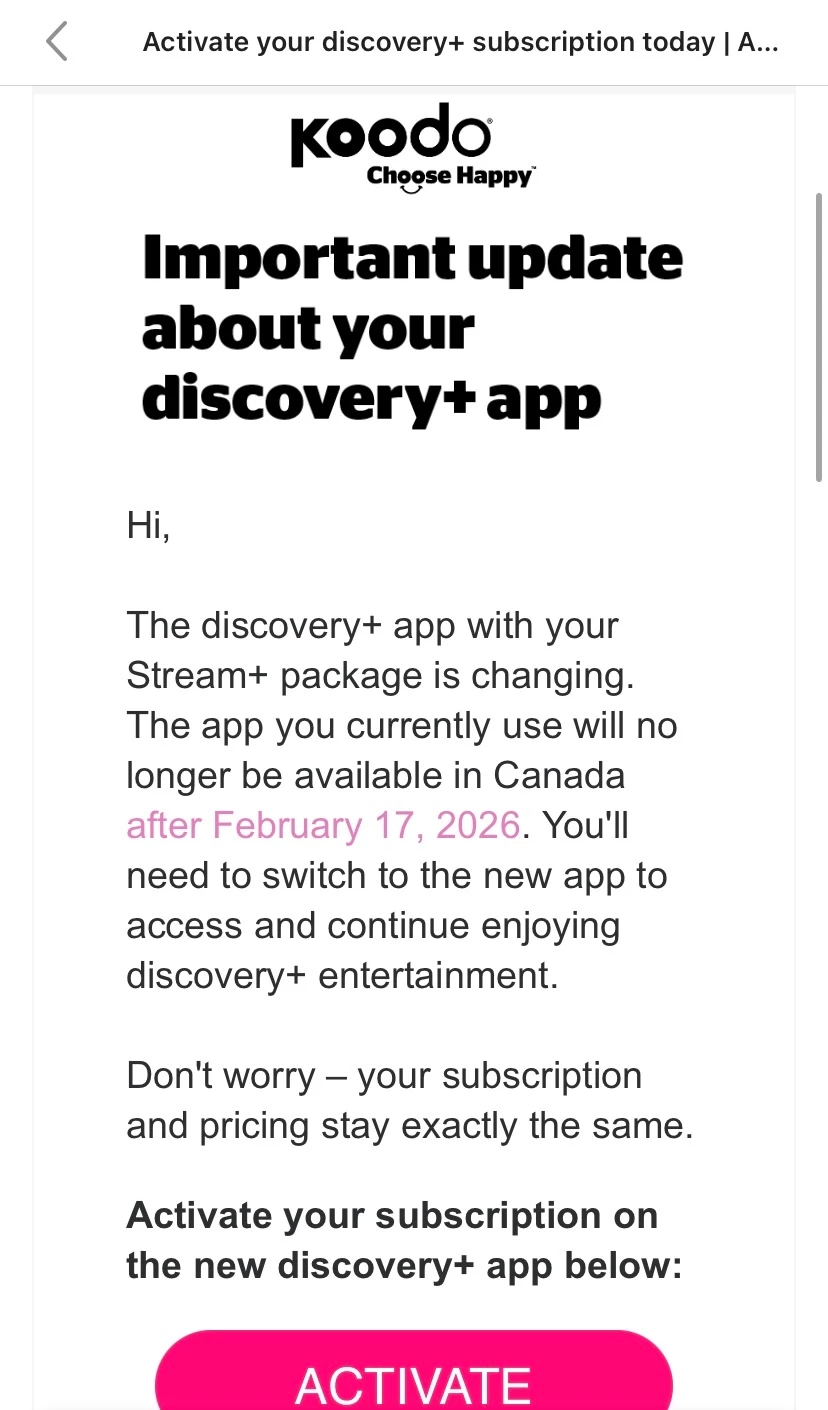
I’ve received an email telling me to do so and providing a link, but when I click it, it just takes me to the add-ons screen. Stream+ is listed but isn’t clickable and Discovery+ isn’t mentioned on the page anywhere. I also tried the step-by-step instructions but whatever I’m supposed to be seeing to allow me to activate the new app isn’t showing up. 


10 replies

Forum|alt.badge.img+4
  • Mobile Master
  • February 9, 2026

Are you still on the original Stream+? Discovery+ has not been offered for a quite a while, since Koodo shifted to their new subscription plans.


  • Author
  • Connector
  • February 9, 2026

Yeah, I know. Folks who wished to stay on the old Stream+ could, though. Now because Discovery+ is changing something, Koodo has contacted me asking me to activate the new app, however it doesn’t work. This email was directly from Koodo, though  


Forum|alt.badge.img+4
  • Mobile Master
  • February 9, 2026

Let me flag a rep for you.


Flo Koodo
Forum|alt.badge.img+4
  • Official Rep
  • February 9, 2026

Hi ​@C.Chant 

Just to double check, when you got to add-ons in self serve and click the drop down button, nothing is listed? 

Have you tried opening the link in the email in incognito mode on your browser?


  • Author
  • Connector
  • February 9, 2026

Hi ​@C.Chant 

Just to double check, when you got to add-ons in self serve and click the drop down button, nothing is listed? 

Have you tried opening the link in the email in incognito mode on your browser?

Stream+ is listed as one of my add-ons but I can’t click on it or anything. I also tried in an incognito window and no luck.
 

According to the step-by-step instructions, under “Manage add-ons”, it should let me click “Activate” for discovery+ but I don’t see any such thing there. 


Flo Koodo
Forum|alt.badge.img+4
  • Official Rep
  • February 9, 2026

Hi ​@C.Chant 

Just to double check, when you got to add-ons in self serve and click the drop down button, nothing is listed? 

Have you tried opening the link in the email in incognito mode on your browser?

Stream+ is listed as one of my add-ons but I can’t click on it or anything. I also tried in an incognito window and no luck.
 

According to the step-by-step instructions, under “Manage add-ons”, it should let me click “Activate” for discovery+ but I don’t see any such thing there. 

Got it!


Will you please share a screenshot here of the add-on section? Please hide any personal information.


  • Author
  • Connector
  • February 9, 2026

Hi ​@C.Chant 

Just to double check, when you got to add-ons in self serve and click the drop down button, nothing is listed? 

Have you tried opening the link in the email in incognito mode on your browser?

Stream+ is listed as one of my add-ons but I can’t click on it or anything. I also tried in an incognito window and no luck.
 

According to the step-by-step instructions, under “Manage add-ons”, it should let me click “Activate” for discovery+ but I don’t see any such thing there. 

Got it!


Will you please share a screenshot here of the add-on section? Please hide any personal information.


Flo Koodo
Forum|alt.badge.img+4
  • Official Rep
  • February 9, 2026

Thank you for sharing the screenshot!

If you go to Manage add-ons, is there any option showing for Stream+ (like a drop down to expand the included Streaming services)?


  • Author
  • Connector
  • February 9, 2026

Thank you for sharing the screenshot!

If you go to Manage add-ons, is there any option showing for Stream+ (like a drop down to expand the included Streaming services)?

No, there is not. I can’t click anything under “Manage add-ons” except the X to remove them. 


Georgia Koodo
Forum|alt.badge.img+4
  • Official Rep
  • February 10, 2026

Thank you for checking! We can see the agent you spoke with recently has scheduled a callback with our Technical Support team, they should be able to investigate further. Let us know if you run into any issues with the callback!