Koodo Community
Solved

Is this spam?

  • January 31, 2026
  • 6 replies
  • 71 views

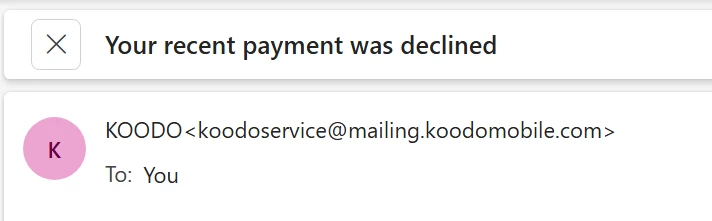
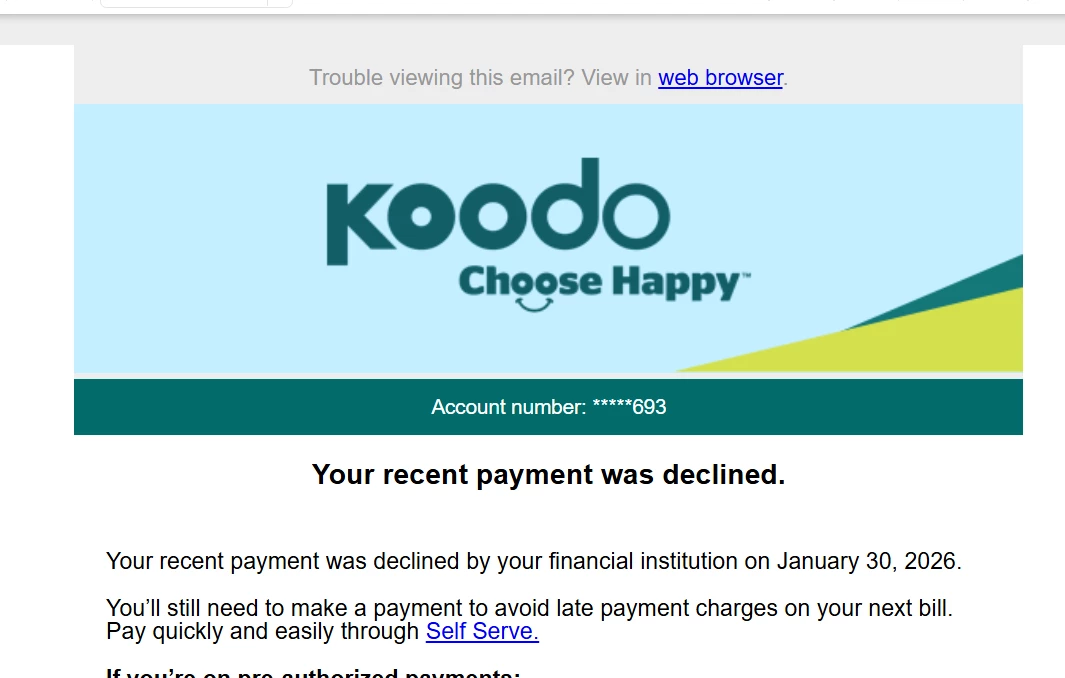
I recieved two messages saying my payment was declined by my bank. From this address… 

Checked my Koodo account on Self Serve and all  looks normal as usual,  my billing date will be Feb 5. I suspect it is a fraudulent website. What do you think? It certainly looks real.


Best answer by Oliver C

Do you currently owe a balance on your Koodo self serve and it is due Feb 5th or is it currently showing $0?

If you have autopay setup, it is generally taken out a week or two prior to the due date so its possible that it was rejected by the bank. If failed the first time, the system will attempt to withdraw again. It also withdraws payments separately for subscriptions, could it be for this instead?

The @mailing.koodomobile.com is an official Koodo mailing address, though personally I never would click a link in an email regardless if I think it is real or not. You’re correct in taking caution.
This topic has been closed for replies.

6 replies

Forum|alt.badge.img+4
  • Mobile Master
  • Answer
  • January 31, 2026

Do you currently owe a balance on your Koodo self serve and it is due Feb 5th or is it currently showing $0?

If you have autopay setup, it is generally taken out a week or two prior to the due date so its possible that it was rejected by the bank. If failed the first time, the system will attempt to withdraw again. It also withdraws payments separately for subscriptions, could it be for this instead?

The @mailing.koodomobile.com is an official Koodo mailing address, though personally I never would click a link in an email regardless if I think it is real or not. You’re correct in taking caution.



Flo Koodo
Forum|alt.badge.img+4
  • Official Rep
  • January 31, 2026

Hi ​@Mike Ryan 

We have looked into it and we can confirm indeed that the payment was indeed declined and the email is legit.


  • Author
  • Connector
  • February 1, 2026

Ok thanks. I set up bank account autopay in the last month by phone. (I had to switch from Visa autopay to automatic withdrawal from my chequing account, as it was a requirement  for my new phone plan) .. Perhaps my bank account info was not entered, or received correctly from me over the phone. So I just updated the bank account info on the Koodo self service website.  It should be ok now, I hope. Meanwhile I have paid this current bill using Visa.  Hoping  autopay from my chequing works ok for next billing cycle. Can this be checked to see if it is now operational going forward? 


Dinh
Forum|alt.badge.img+4
  • Mobile Master
  • February 1, 2026

Ok thanks. I set up bank account autopay in the last month by phone. (I had to switch from Visa autopay to automatic withdrawal from my chequing account, as it was a requirement  for my new phone plan) .. Perhaps my bank account info was not entered, or received correctly from me over the phone. So I just updated the bank account info on the Koodo self service website.  It should be ok now, I hope. Meanwhile I have paid this current bill using Visa.  Hoping  autopay from my chequing works ok for next billing cycle. Can this be checked to see if it is now operational going forward? 

If it appears in your self-serve,  it should be fine. You can take a snapshot of it, and if anything goes wrong, you'll have proof.

However, you'll likely see an NSF fee on your next Koodo bill and potentially on your bank account as well. You may need to schedule a call back from both Koodo and your bank to inquire about the possibility of having the fee waived.


  • Author
  • Connector
  • February 1, 2026

Thanks again. I see this message now :

Hey Michael

Account #: ****6693

Your bill details


You're all paid up right now.

 Pre-authorized payments enabled 

(copy and paste)


Flo Koodo
Forum|alt.badge.img+4
  • Official Rep
  • February 1, 2026

@Mike Ryan 

Thanks for sharing! 

We have looked into it and we can confirm the payment was posted. Due to privacy reasons, the payment details are not available, but we can see based on the notes that the payment details have been updated.

 As long as the details are correct, the payment should go through automatcally for the next bill.

In case it is declined again, there is the option to use Plaid to add the pre-authorized payment details https://www.koodomobile.com/en/help/setting-pre-authorized-payments
